OpenMV MicroPython OpenMV MicroPython OpenMV MicroPython
  • Home
  • Tutorial
  • Libraries
  • Boards
  • Shields
  • Sensors
  • Language
  • CPython
  • Internals
  • Changelog
/
  • dev
  • English
  • العربية
  • 简体中文
  • 繁體中文
  • Hrvatski
  • Čeština
  • Nederlands
  • Suomi
  • Français
  • Deutsch
  • עברית
  • Magyar
  • Bahasa Indonesia
  • Italiano
  • 日本語
  • 한국어
  • Polski
  • Português (Brasil)
  • Português (Portugal)
  • Română
  • Русский
  • Español
  • Svenska
  • ไทย
  • Türkçe
  • Українська
  • Tiếng Việt
  • Discussion
  • Tutorial
  • Libraries
  • Boards
  • Shields
  • Sensors
  • Language
  • CPython
  • Internals
  • Changelog
  • License
  • Legacy
    • CMUcam5 (Pixy)
    • CMUcam4
    • CMUcam3
    • CMUcam2
    • CMUcam1
      • Wiki
        • Gallery
        • Downloads
        • Frequently Asked Questions
        • Publications
        • People
        • Issues
        • Legal Information
      • Files
micropython-doc 0 0
Edit this page
  1. OpenMV MicroPython /
  2. The CMUcam project /
  3. CMUcam1 /
  4. Wiki /
  5. Gallery
View Source Open in ChatGPT Open in Claude Open in Perplexity

Gallery#

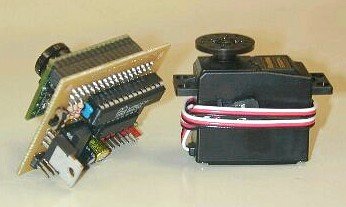
Here are more photos of the CMOS camera and the CMUcam1 board:
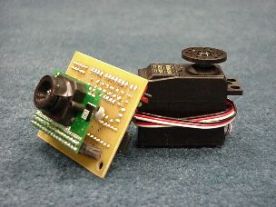
Camera Left Camera Angle

The following images were taken by the CMUcam1 indoors and outdoors:
Indoors Indoors Outdoors

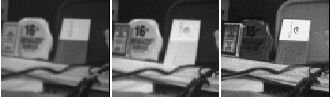
This next CMUcam1 image is shown in color and then as separate R, G and B bands:
Color Bands

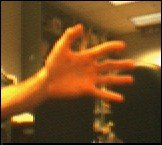
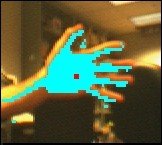
This next set of CMUcam1 images are examples of how of our java interface program can be used to display the color tracking output from the CMUcam1:
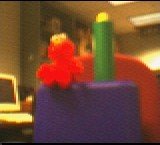
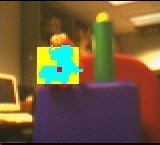
Elmo RGB Elmo BMP Hand RGB Hand BMP

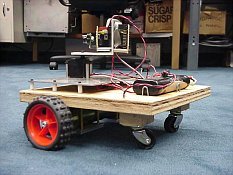
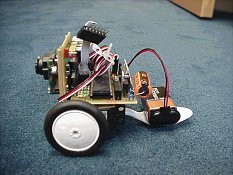
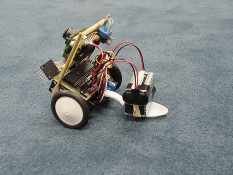
Here is the B2Bot, a robot with the CMUcam1 on a servo head, two DC motors and a custom controller called Cerebellum:
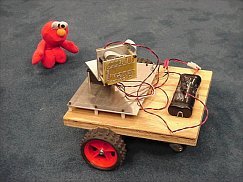
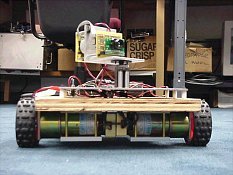
B2Bot with Elmo B2Bot Front B2Bot Side

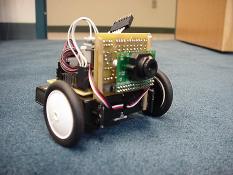
This is the MiniBot, a 2-servo CMUcam1 + Cerebellum robot that is less than 5 inches cubed:
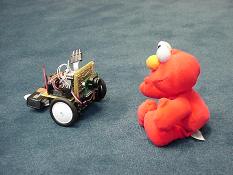
MiniBot Elmo MiniBot Front MiniBot Side

The first picture below shows the ServoBot, a CMUcam1 directly controlling a hobby servo. The rest of the pictures show the MiniBot3D, which uses 3 servos to control not just pan but also tilt.
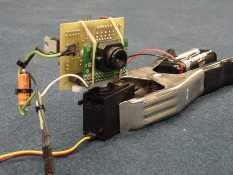
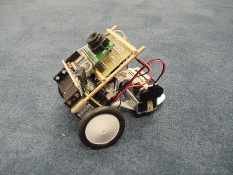
ServoBot MiniBot3D Angle MiniBot3D Side

It is easy to program a robot to follow colorful objects using the CMUcam1’s output. In fact, if you click here you can download the C code we used to program the PIC chip that is controlling the CMUcam1 on the MiniBot3D.

The movies below show off our prototype CMUcam1 robots at play:

The B2Bot chasing a large yellow ball.

The MiniBot tracking Elmo.

The MiniBot3D tracking with pan and tilt.

The ServoBot tracking an orange object.

The ServoBot tracking a blue object.

Here is a cool video edited together by Anthony Rowe of a number of CMUcam1 based robots, including “Barney” a cool line following robot with which he and Alok Ladsariya won the 2002 Mobot competition:

A montage of CMUcam1-based robots.

Here are links to other pages and projects which describe robots which use the CMUcam1:

  • PIC and Handyboard CMUcam1 code

  • Barney a line following robot

  • The IRIS security project at the University of Alabama in Huntsville

  • Table tennis playing augmented reality system designed by students at RPI

Previous
Wiki
Next
Downloads

For OpenMV firmware v5.0.0 · based on MicroPython v1.28 · docs built August 3, 2026 · Copyright © 2014-2026 by OpenMV, Damien P. George, and others.

OpenMV® and the aperture-O logo are registered trademarks of OpenMV, LLC in the United States and other countries. All other product names are trademarks of OpenMV, LLC.

Made with Sphinx using the Shibuya theme.