
 OpenMV MicroPython
 2.2. Variables and basic types#
A variable is a name you bind to a value with the = operator. After assignment, the name can be used anywhere the value can:
width = 320
height = 240
pixels = width * height
print(pixels)               # prints 76800
The right-hand side of = is evaluated first, then the result is bound to the name on the left. Reading a name that was never assigned raises NameError.
A variable is just a label. It points at a value – the value lives somewhere else, and the same value can have any number of labels.
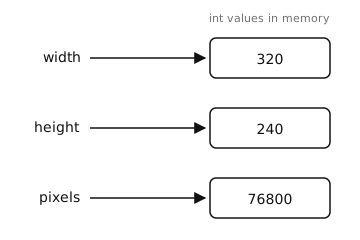
Variables are labels pointing at values. Reassigning a variable moves the label; it does not change the value the label used to point at.#
2.2.1. Naming rules#
Names start with a letter or underscore and may contain letters, digits, and underscores.
frame_countand_internalare fine;1st_frameis a syntax error.Names are case-sensitive:
Widthandwidthare two different variables.Avoid reusing built-in names like
list,str,id(), orprint()– shadowing them does not raise an error, but the original built-in becomes unreachable for the rest of the script.Convention:
snake_casefor variables and functions,ALL_CAPSfor constants you do not intend to change,CamelCasefor class names.
2.2.2. Basic types#
Every value in Python has a type that determines what operations it supports. The four types you will write the most are:
int – whole numbers, positive or negative. MicroPython integers grow as large as memory allows. Literals are written as plain digits:
0,42,-7. Hex (0x1A), octal (0o17), and binary (0b1010) literals are also valid and useful for registers and bitmasks.float – numbers with a decimal point or an exponent:
3.14,1.0,-0.5,2e6(= 2,000,000.0). All floats on the camera are IEEE 754 32-bit – precise to about seven significant digits.bool – one of the two literals
TrueorFalse(note the capitalisation).str – text, written as characters between single or double quotes:
"hello",'OpenMV'. Both quote styles are equivalent; pick whichever lets you avoid escaping the quote characters that appear inside the string.
There is also a fifth value worth knowing immediately:
None – the single value of type
NoneType. Used to mean “no value” or “not yet set”. Functions that do not explicitly return anything implicitly returnNone.
2.2.3. Checking and converting types#
The built-in type() function returns the type of any value:
>>> type(42)
<class 'int'>
>>> type(3.14)
<class 'float'>
>>> type("hello")
<class 'str'>
Each type also doubles as a conversion function. Pass it a value of a different type and you get the equivalent value of the new type back – when the conversion is well-defined:
>>> int("42")
42
>>> int(3.9)
3                           # truncates toward zero, not rounds
>>> float("1.5")
1.5
>>> str(255)
'255'
>>> bool(0), bool(1), bool("")
(False, True, False)
Conversions that are not well-defined raise ValueError:
>>> int("hello")
Traceback (most recent call last):
  File "<stdin>", line 1, in <module>
ValueError: invalid syntax for integer with base 10
2.2.4. Reassignment and dynamic typing#
A name can be reassigned to a value of any type at any time. The following is legal:
x = 42
x = "now I'm a string"
x = 3.14
Python does not bind a variable to a type. Code that depends on x being an integer simply expects an integer at the point where it uses it; if it gets something else, you get a runtime TypeError.
Note
Reassigning x does not change the value the old binding pointed to. If two names share the same value, reassigning one does not affect the other:
a = [1, 2, 3]
b = a                       # both point at the same list
a = "different now"
print(b)                    # still [1, 2, 3]
Mutating a shared value is different: a method like list.append changes the value the binding points at, so every other name pointing at that same value sees the change.