
 OpenMV MicroPython
15. Host Protocol
Every OpenMV cam ships with a protocol stack that exposes the camera as a set of named data channels to a host program. The host program might be a Python script on the developer’s laptop, a desktop GUI, another cam on the other end of a UART, or a service running on a workstation watching a fleet of cameras. The cam doesn’t care which – the same framing, the same reliability machinery, the same channel abstraction works for all of them.
This is the answer to two questions that come up constantly once a cam project leaves the IDE:
“How do I get a live view of what the cam sees into a custom GUI on my laptop?”
“How do I let an operator change a threshold or pick a region of interest at runtime, without reflashing?”
The protocol module on the cam side and the openmv-python package on the host side
answer both questions, by letting a Python class on the cam expose a
channel that a Python class on the host can read from, write to,
and react to events on, all over a single USB or serial connection.
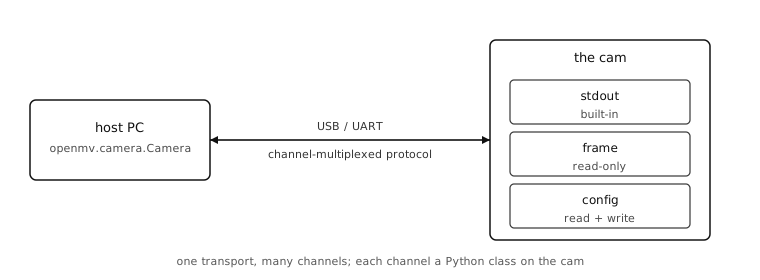
The chapter teaches both sides. The cam-side code shows how to register channels and feed them; the host-side code shows how to connect, list the channels, pull data, and push commands back. Real tools that ship in the openmv-projects/tools/ directory use exactly the patterns shown here.
Framing
Wrap up