
 OpenMV MicroPython
13.7.3. Labelling the images
An object detector learns from examples that are labelled: each training image needs a box around every target object, tagged with its class. Labelling hundreds of frames by hand is slow, so Roboflow automates it.
13.7.3.1. Auto Label
On the Annotate page, Auto Label drives a text-prompted
foundation model: you describe each class in words and it finds and
boxes those objects across the whole batch. Add a class per thing
you want to detect – stuffed raccoon toy, and person to
teach the model what to ignore – preview the result on a few test
images, and adjust each class’s confidence threshold until the boxes
land where they should.
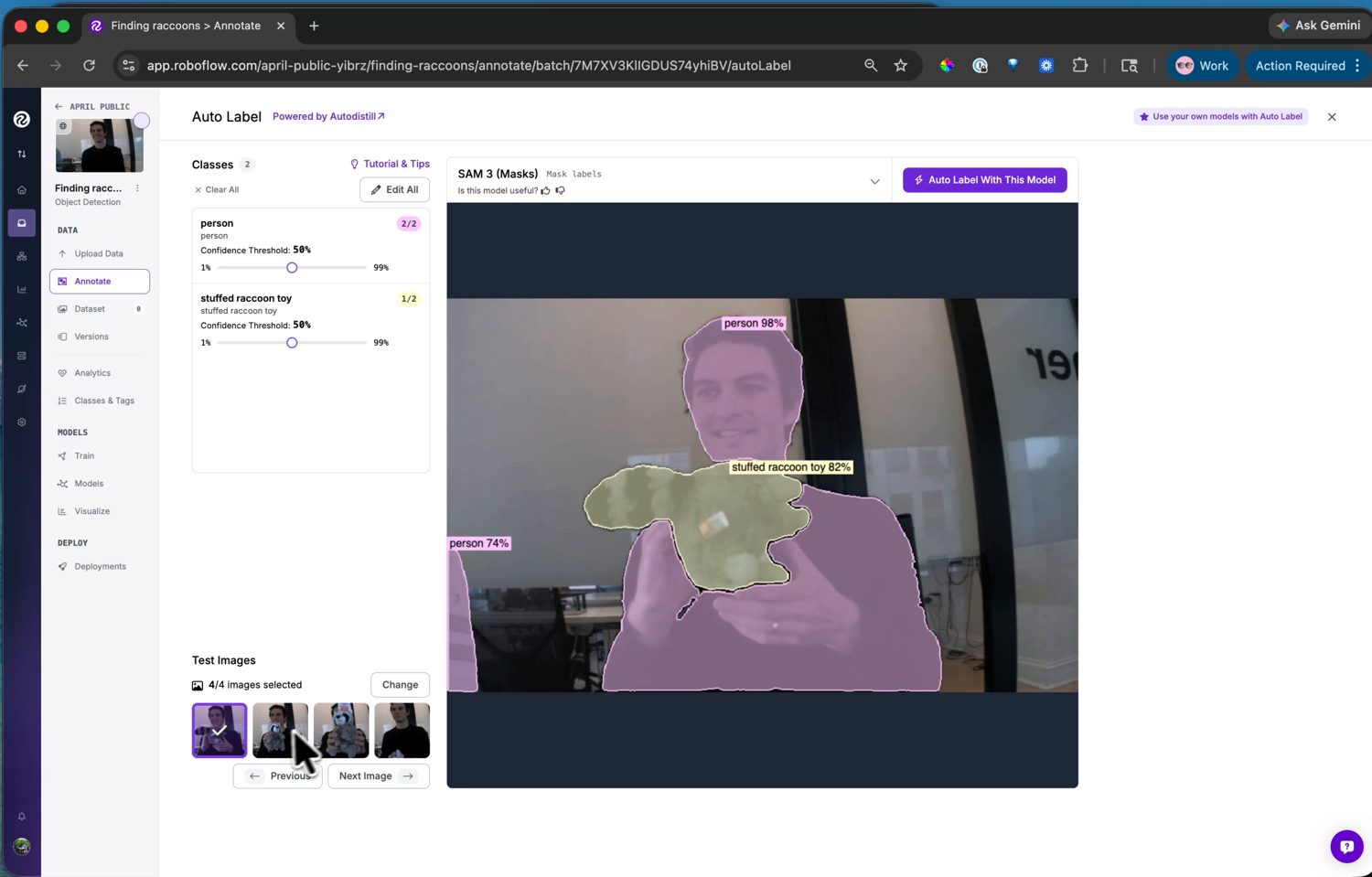
Auto Label finds the classes from text prompts and labels the batch – preview and tune the thresholds before running it on every image.
Run it on the batch, then review: scan the labelled images, fix the few the model got wrong, and delete boxes it invented. Auto Label does the bulk work; the review pass catches its mistakes.
13.7.3.2. Adding to the dataset
Labelled images move into the dataset with a train / valid / test split. The split is how the model’s accuracy is measured: it trains on the training images, tunes against the validation set, and is scored on the test images it never saw during training. The default split works – accept it and the dataset is ready to train.