
 OpenMV MicroPython
2.8. Tuples
A tuple is an immutable, ordered sequence of values. Once created, the items inside cannot be added, removed, or changed.
2.8.1. Creating tuples
Use parentheses (or just commas) to create a tuple:
empty   = ()
point   = (3, 4)
triple  = 1, 2, 3                # parentheses are optional
mixed   = (1, "two", 3.14)
nested  = ((1, 2), (3, 4))
2.8.1.1. The single-element gotcha
Parentheses around a value are just parentheses; what actually makes a tuple is the comma. A one-element tuple needs a trailing comma:
>>> (1)
1                                # just an int in parens
>>> (1,)
(1,)                             # a one-element tuple
>>> type((1)), type((1,))
(<class 'int'>, <class 'tuple'>)
2.8.2. Length, indexing, and slicing
Same as lists and strings – len(), indexing, slicing,
in, and + / * all work the same way:
>>> point = (3, 4, 5)
>>> len(point)
3
>>> point[0]
3
>>> point[1:]
(4, 5)
>>> 4 in point
True
>>> (1, 2) + (3, 4)
(1, 2, 3, 4)
2.8.3. Immutability
Tuples don’t have append, pop, sort, or any other
in-place method. Indexed assignment raises TypeError:
>>> point = (3, 4)
>>> point[0] = 99
Traceback (most recent call last):
  File "<stdin>", line 1, in <module>
TypeError: 'tuple' object doesn't support item assignment
To “modify” a tuple, build a new one with the changed values.
2.8.4. Unpacking
A tuple’s main superpower is unpacking: assigning each item to a separate variable in one statement.
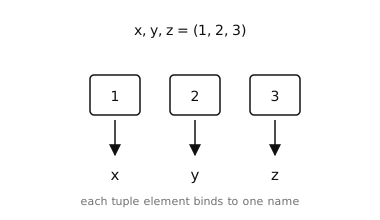
Unpacking binds each element of a tuple to a named variable in one assignment.
>>> point = (3, 4)
>>> x, y = point
>>> x
3
>>> y
4
The right-hand side can be any iterable – a list, a string, the return value of a function:
>>> a, b, c = "abc"
>>> a, b, c
('a', 'b', 'c')
A leading * collects “the rest” of an unpacking into a list:
>>> first, *rest = [10, 20, 30, 40]
>>> first
10
>>> rest
[20, 30, 40]
2.8.5. Multiple return values
A function can return a tuple to deliver several values at once; the caller unpacks them on the way in:
def size_of(rect):
    return (rect[2] - rect[0], rect[3] - rect[1])

width, height = size_of((10, 20, 110, 140))
# width = 100, height = 120
The parentheses on the return are optional – a bare
return a, b is a tuple too.
2.8.6. Tuple vs list
A practical guide for which to reach for:
Tuple for fixed-shape, often-heterogeneous data:
(x, y)points,(r, g, b)colours, multiple return values, function arguments packed for later use.List for variable-length, often-homogeneous data: a list of measurements, a queue of items to process, anything you expect to append to.
Tuples are also hashable (as long as every element inside is
hashable), so they can be used as keys in a dict.